Product
AI employees you can trust with real work.
Each has a clear job, works within limits you set, and shows you everything it does.
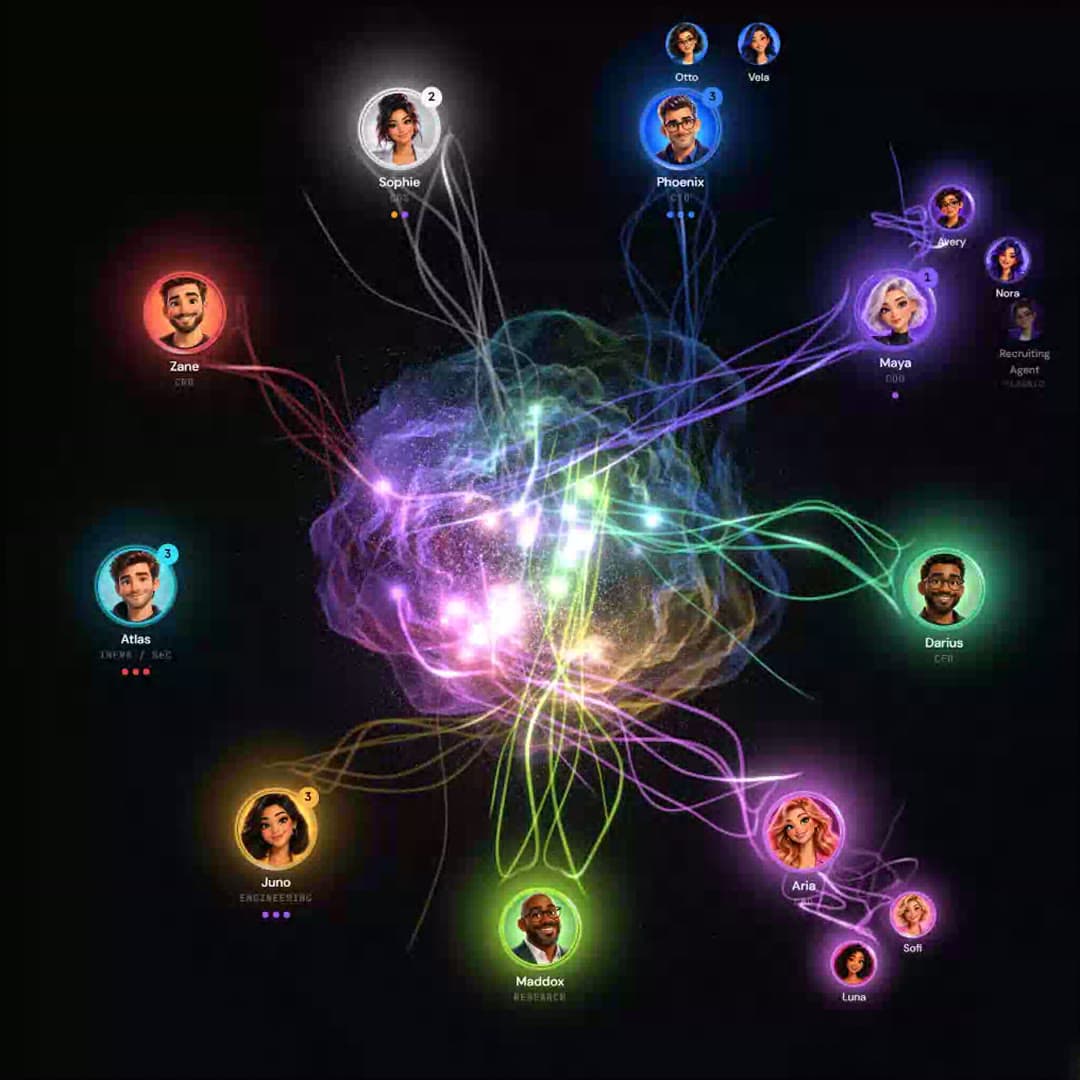
Not another copilot
They don’t wait for prompts. They own the work.
01Chatbot
Answers a question.
Details
Chatbot
Answers a question.
02Copilot
Helps you do your work.
Details
Copilot
Helps you do your work.
03Agent
Performs a task when asked.
Details
Agent
Performs a task when asked.
04AxiaForce employee
Owns an outcome.
Details
AxiaForce employee
Owns an outcome.
A clear job
Every AI employee knows its job.
Its role, goals, limits, tools and schedule — all written down, not assumed.
How the job description is used
Each field is enforced, not decorative: the schedule and triggers wake the employee, authority gates its actions, plan limits cap its usage, and the KPIs feed its scorecard. The same shape covers every role — GTM, recruiting, marketing, IT and concierge.
- Role
- GTM — pipeline creation
- Mission
- Create qualified pipeline for the mid-market healthcare segment
- Manager
- Revenue · reports to VP Sales (human)
- Authority
- first touch: approval · follow-up: auto · pricing: escalate · schedule: auto
- Systems
- HubSpot · Outlook · M365 Calendar · ZoomInfo
- KPIs
- pipeline created · meetings booked · response time · autonomous share
- Responsibilities
- Research · outreach · follow-up · reply handling · booking · CRM hygiene
- Schedule · triggers
- 07:00 daily list build · on new lead · on inbound reply · on missed follow-up
- Usage
- within plan limits · alert before a limit is reached
- Reports
- daily at 17:30 · weekly Monday 08:00 · to VP Sales
- Role
- GTM — pipeline creation
- Mission
- Create qualified pipeline for the mid-market healthcare segment
- Manager
- Revenue · reports to VP Sales (human)
- Authority
- first touch: approval · follow-up: auto · pricing: escalate · schedule: auto
- Systems
- HubSpot · Outlook · M365 Calendar · ZoomInfo
- KPIs
- pipeline created · meetings booked · response time · autonomous share
All fields
- Responsibilities
- Research · outreach · follow-up · reply handling · booking · CRM hygiene
- Schedule · triggers
- 07:00 daily list build · on new lead · on inbound reply · on missed follow-up
- Usage
- within plan limits · alert before a limit is reached
- Reports
- daily at 17:30 · weekly Monday 08:00 · to VP Sales
Campaigns
Follow-up that adapts to each person.
Automated campaign management. Build a journey by dragging steps: an email, a wait, a text, a call. Then it runs on its own, each person at their own pace, and a reply changes their path.
Control
Work gets done. You stay in control.
Choose what your AI employees do on their own and what needs your approval.
- Observe→
- Recommend→
- Draft→
- Act with approval→
- Act automatically
- You set the limits
- Choose what runs on its own and what waits for your OK.
- You see the why
- Every action shows the reasoning behind it.
- You can change your mind
- Give more room, or take it back, any time.
- GTMOutreachFirst-touch policySend first-touch sequence → Meridian Logistics · VP Operations
Matches ICP (3PL, 200–800 staff). Two ops roles posted this month; CRM shows no prior contact.
CRM: no activity 180dCareers page: 2 ops openingsEnrichment: HQ Denver, 410 staff - RecruitingOutreachRe-engagement policyMessage shortlisted candidate → Senior Controller · candidate #4471
92% criteria match. Open to relocation per ATS notes. Last contact 14 months ago — re-engage as warm.
ATS: prior stage = final interviewSkills: 6/6 must-havesAvailability: 30-day notice - GTMReplyPricing policyOffer pricing range in reply → Harbor Health · Director of Talent
Prospect asked for a ballpark. Policy requires approval before any pricing leaves the building.
Inbound: 'what does this cost?'Deal stage: discoveryProposed: standard tier range
Interactive · illustrative data · try Approve / Edit / Decline
Mission Control
The same facts, for everyone.
Leaders see results and what needs attention. The people doing the work see the queue and the trail.
- 09:41:07researchenriched account acme-logistics · 3 sources · 1.2swo-88213
- 09:41:09outreachdrafted seq/first-touch v3 → queue (policy: first-touch)wo-88214
- 09:43:52humanapproved wo-88214 · edited line 2 · pattern savedusr-dm
- 09:43:53outreachsent via gmail:rep-01 · crm activity loggedwo-88214
Getting started
Working within a week.
Connect your tools, choose the job, approve the first results.
- Day 1Connect
Link the CRM, inbox, calendar and tools you already use. You approve every permission.
- Day 2Configure
Pick a role, then set the goals, hours and how much needs your approval.
- Day 3Validate
Your AI employee starts under watch. Anything that needs a decision waits for you.
- Days 4–5Deploy
Ease off approvals where you’re comfortable.
- Week 1Measure
See results for each AI employee in your first weekly report.
Timeframes are illustrative: typical for a first employee on common systems. Actual setup depends on your systems and scope, and complex estates take longer.
See it on your own work.
Bring a real role or team. We’ll walk through it end to end.