Solutions · RecruitingLive
More time with qualified candidates.
Your recruiters spend less time on admin and more with the right people. Your ATS stays exactly where it is.
 Meet TaliaRecruiting Agent
Live dashboard
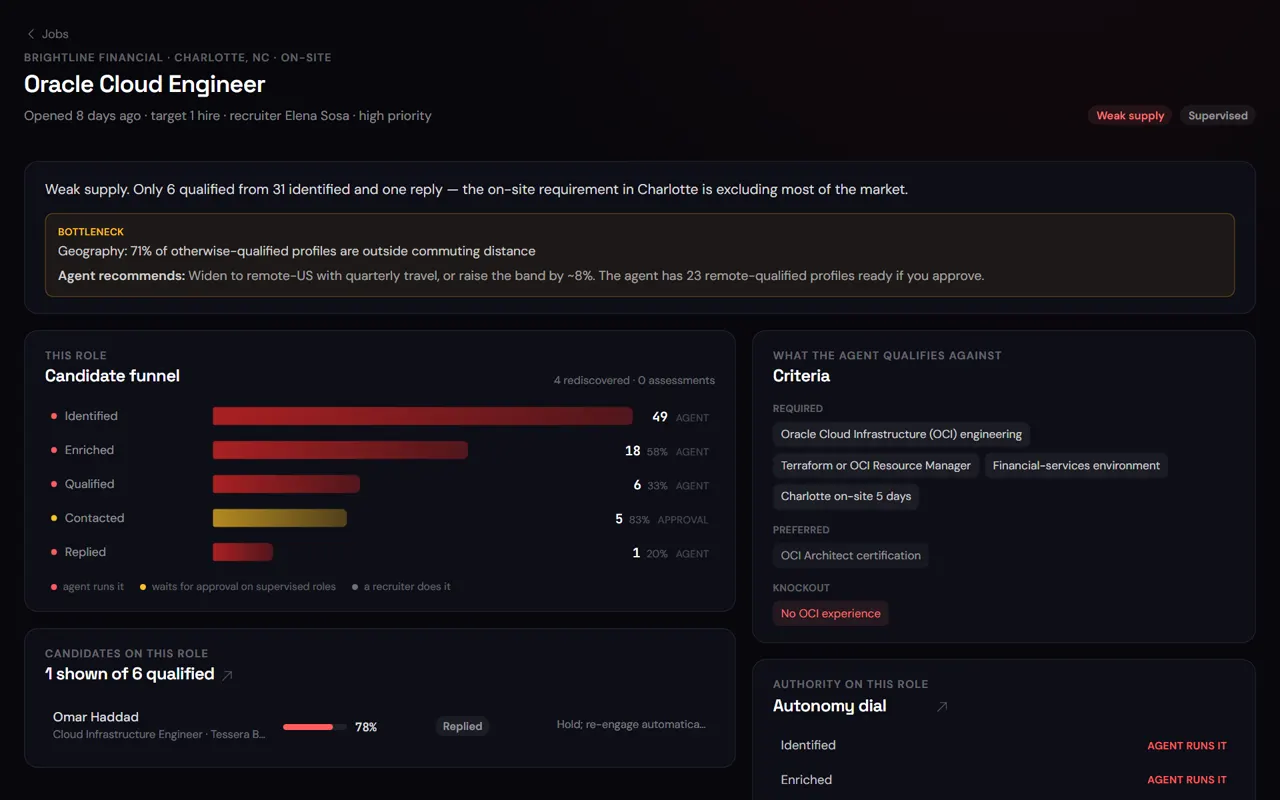
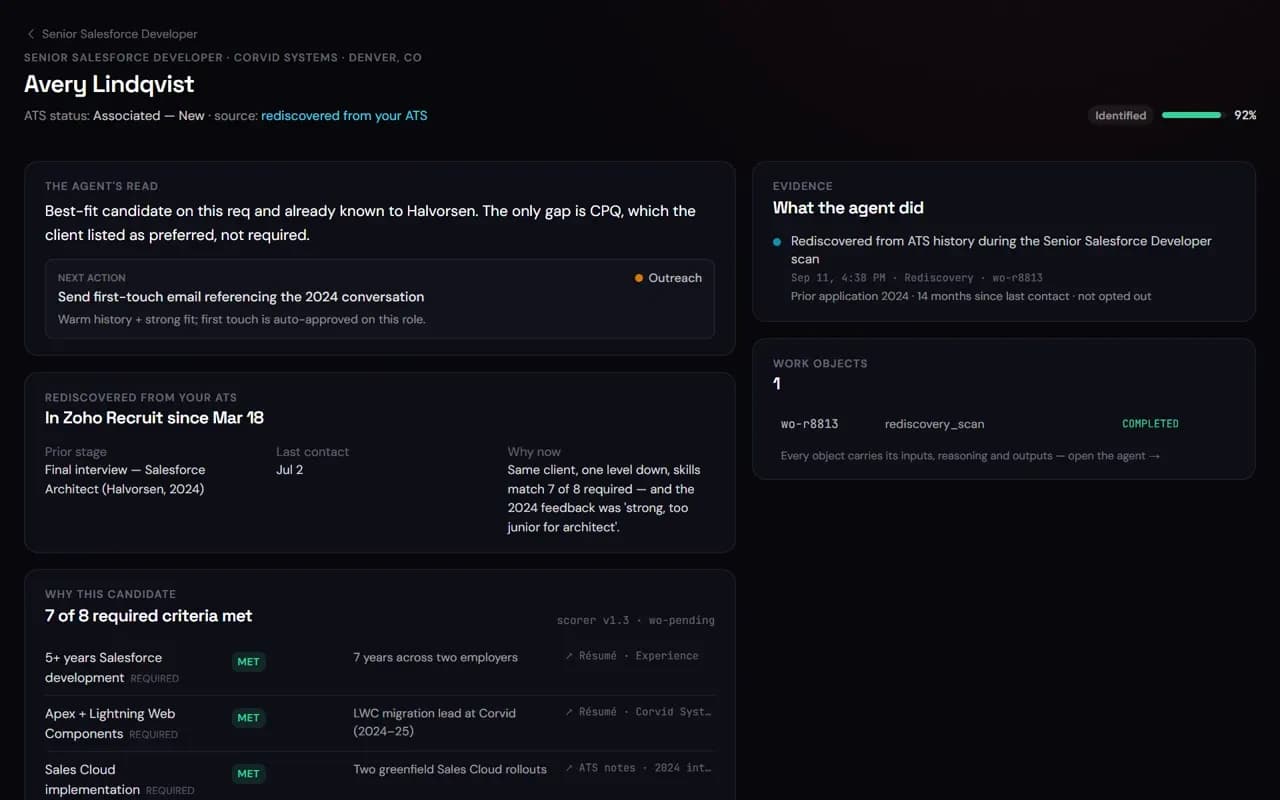
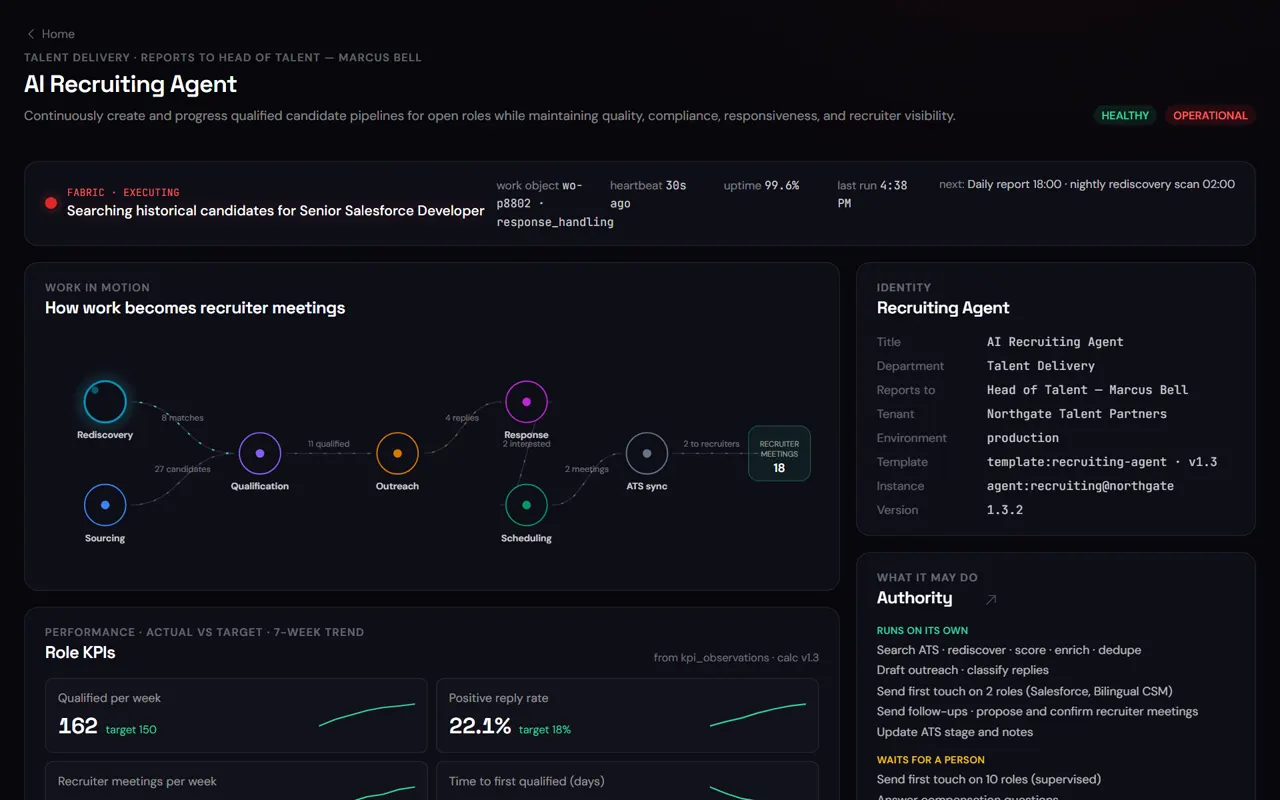
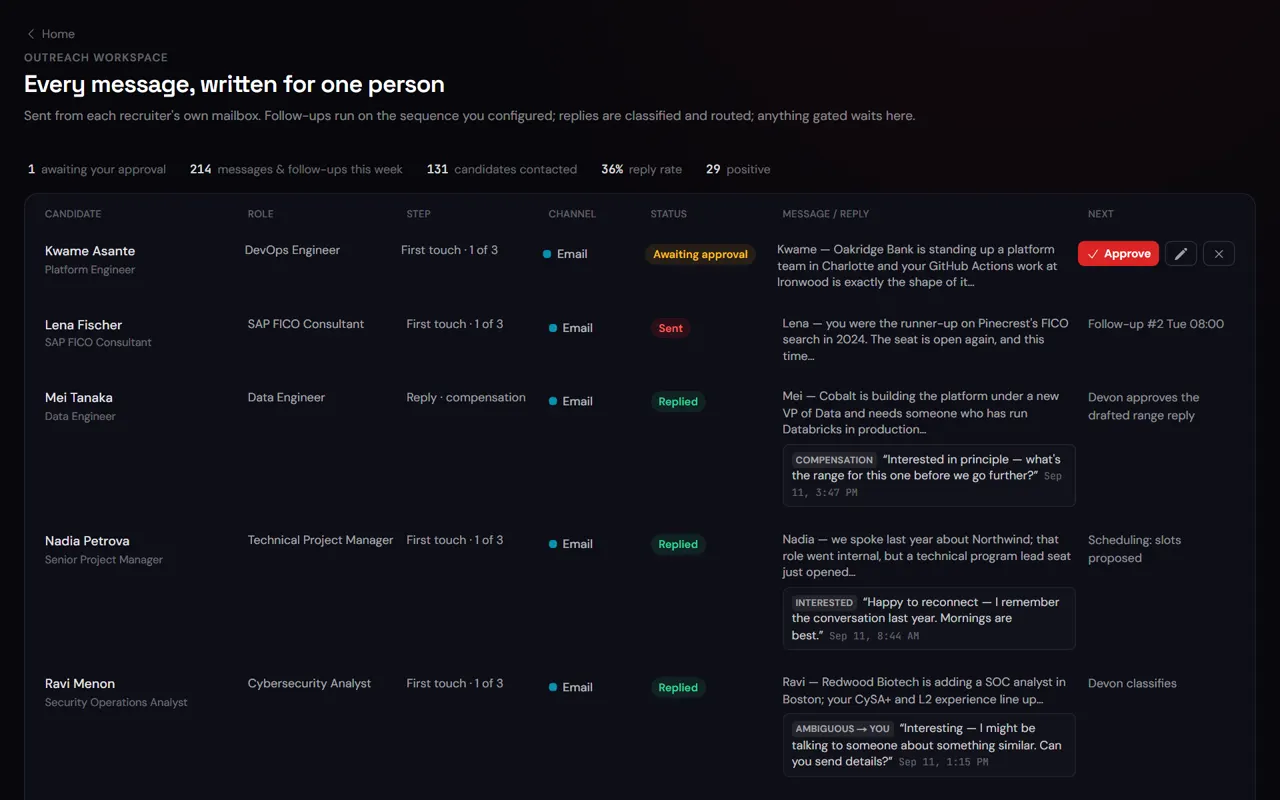
Live product screen · illustrative workspace data
Two agents, one workflow
Hiring moves forward while your day stays clear.
Talia screens and shortlists. Sophie turns the interviews into a calendar that works and keeps your inbox under control.

- Screens resumes against the role
- Builds the shortlist
- Proposes interview times

- Triages your inbox
- Clears and protects your calendar
- Prepares your briefing
- 1Talia shortlists and proposes times
- 2Sophie checks them against your real calendar
- 3The interview lands on your calendar with a briefing
The work it takes off your plate
Operating
- ATS search← Rediscover · 8 from your ATS
- 35 candidates evaluatedScore
- 11 qualifiedOutreach← Follow-up · 11 touches sent
- 11 contactedReply← Assessments · 4 completed
- 4 replies handledRecruiter meeting
- Recruiter meetings18
Your day
A lighter day, hour by hour.
The same day, with and without an AI employee picking up the routine.
- 07:30—140 ATS profiles scored against the new Senior Controller role; 11 shortlisted with reasons, 4 rediscovered from last year.Recruiters open a reasoned shortlist instead of a blank queue.
- 08:15Recruiter reviews profiles one by one; 45 minutes to a shortlist of 6.Queue: 11 shortlisted, each with a fit summary and a drafted note. Approves 9, edits 2. Nine minutes.36 minutes back, and 5 more candidates actually considered.
- 09:00Outreach to the 6 — when there’s time between calls.Approved notes sent from the recruiter’s inbox; ATS stage → Contacted; follow-ups scheduled.No candidate waits on a gap in the recruiter’s calendar.
- 11:20A candidate asks for the range. Recruiter answers after lunch.Reply routed with the band pre-filled (compensation is gated); approved and sent in 3 minutes.A same-day question doesn’t cool into a lost candidate.
- 14:00Interview scheduling: four emails each way with the hiring manager.Two overlaps found, proposed, confirmed Thu 10:30; invites out, ATS updated, assessment assigned.One short approval instead of an email chain.
- 17:30Three warm candidates from last quarter still un-contacted.Surfaced at 07:30; two already in conversation. Weekly report: 18 recruiter meetings, 11 candidates advanced.Candidates you already paid for don’t go cold twice.
- 07:30
- With AxiaForce
- 140 ATS profiles scored against the new Senior Controller role; 11 shortlisted with reasons, 4 rediscovered from last year.
- Result
- Recruiters open a reasoned shortlist instead of a blank queue.
- 08:15
- Today
- Recruiter reviews profiles one by one; 45 minutes to a shortlist of 6.
- With AxiaForce
- Queue: 11 shortlisted, each with a fit summary and a drafted note. Approves 9, edits 2. Nine minutes.
- Result
- 36 minutes back, and 5 more candidates actually considered.
- 09:00
- Today
- Outreach to the 6 — when there’s time between calls.
- With AxiaForce
- Approved notes sent from the recruiter’s inbox; ATS stage → Contacted; follow-ups scheduled.
- Result
- No candidate waits on a gap in the recruiter’s calendar.
Show the full day
- 11:20
- Today
- A candidate asks for the range. Recruiter answers after lunch.
- With AxiaForce
- Reply routed with the band pre-filled (compensation is gated); approved and sent in 3 minutes.
- Result
- A same-day question doesn’t cool into a lost candidate.
- 14:00
- Today
- Interview scheduling: four emails each way with the hiring manager.
- With AxiaForce
- Two overlaps found, proposed, confirmed Thu 10:30; invites out, ATS updated, assessment assigned.
- Result
- One short approval instead of an email chain.
- 17:30
- Today
- Three warm candidates from last quarter still un-contacted.
- With AxiaForce
- Surfaced at 07:30; two already in conversation. Weekly report: 18 recruiter meetings, 11 candidates advanced.
- Result
- Candidates you already paid for don’t go cold twice.
Better together
It takes the routine. You keep what matters.
- Scoring and shortlisting against your criteria, with reasons you can read and correct
- Rediscovering warm and silver-medal candidates already in your ATS
- Personalised outreach in each recruiter’s voice, with follow-up cadence
- Reply handling, assessment coordination, scheduling and ATS stage updates
- Approving first contact, compensation answers and anything authority reserves
- The screening call, the pitch, the close — the relationship
- Defining role criteria in plain language
- LinkedIn activity — recruiter seat, recruiter’s hands
Campaigns
Keep candidates engaged.
Timely, job-specific outreach, with each candidate moving at their own pace.
Outreach is linked to the specific role and candidate, not a generic blast.
A reminder to approve a message is never the same as a message already sent to a candidate.
A reply pauses that candidate’s sequence; other open roles stay coordinated so nobody’s contacted twice.
Getting started · Pilot
Start small. Grow with confidence.
Your AI employee runs under your watch before it runs on its own.
- Step 1
Subscribe. We email you your AxiaForce quote, with a private, secure link to set up your subscription.
- Step 2
We set up your workspace.
- Step 3
Sign in and meet your AI employee.
- Step 4
Connect your tools.
- Step 5
Choose how much it can do, then give it its first job.
Timeframes are illustrative. Actual setup depends on your systems and scope.
Ready to start? See plans & pricing.
What to expect
Targets to hold us to.
Illustrative figures from the ROI model, not guarantees. Results vary by customer — adjust them on the calculator.
A reasoned shortlist before the morning stand-up, not after a day of screening.
Every planned touch to a candidate actually goes out.
Default model lift; editable on the calculator.
Fit
A good fit if…
- You want to grow without adding headcount just to keep up
- You run 3+ recruiters against an ATS such as Zoho Recruit, Greenhouse, Lever, Bullhorn or Ashby
- Screening, outreach and scheduling eat the hours you’d rather spend on calls
- Your database has warm candidates nobody has time to re-engage
Straight answers
The questions we get first.
Will candidates know it’s AI?
Messages go from the recruiter’s own inbox, in their voice, and the recruiter approves first contact. The AI drafts, the recruiter sends — and you open the dial toward autonomous sending on your timeline, never ours.
How does it judge fit?
Against criteria you write in plain language, with a reasoned summary per candidate. You can see why it shortlisted someone and correct it — the correction becomes a pattern.
What about candidate data and compliance?
Data stays in your ATS and your isolated AxiaForce tenant. Customer Data is not used to train generalized models for unrelated use unless you authorize it. Every access and action is in the evidence record.
Does it automate LinkedIn?
Not by default — LinkedIn stays a recruiter-seat activity, and the AI employee prepares what the recruiter sends there. An optional integration can connect LinkedIn Recruiter data and InMail into the same ATS-driven loop where your LinkedIn access allows it — ask us about enabling it.
See it on your own work.
Bring a real role or team to the demo and see it in action.