Solutions · Revenue & GTMPilot
More conversations. Fewer dropped follow-ups.
Your reps spend their time selling. AxiaForce keeps every opportunity moving, from first touch to booked meeting.
Live dashboard
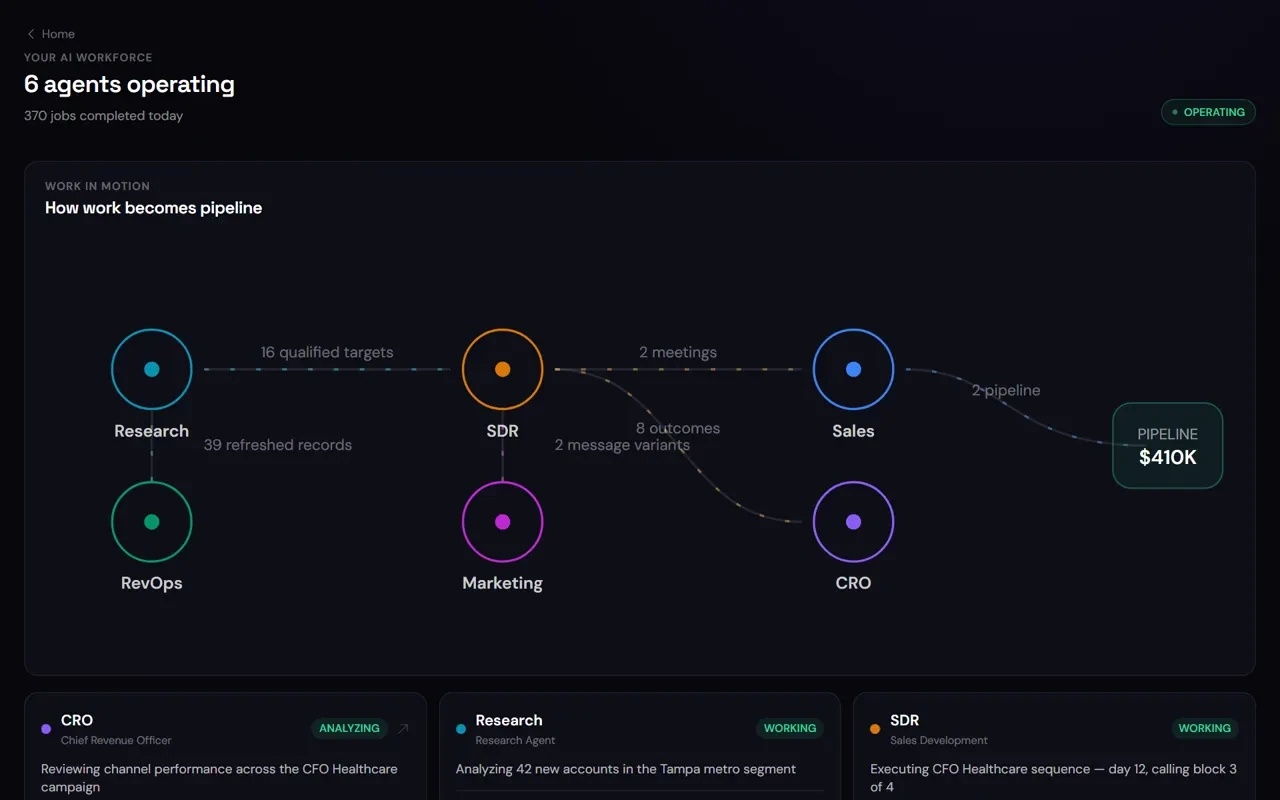
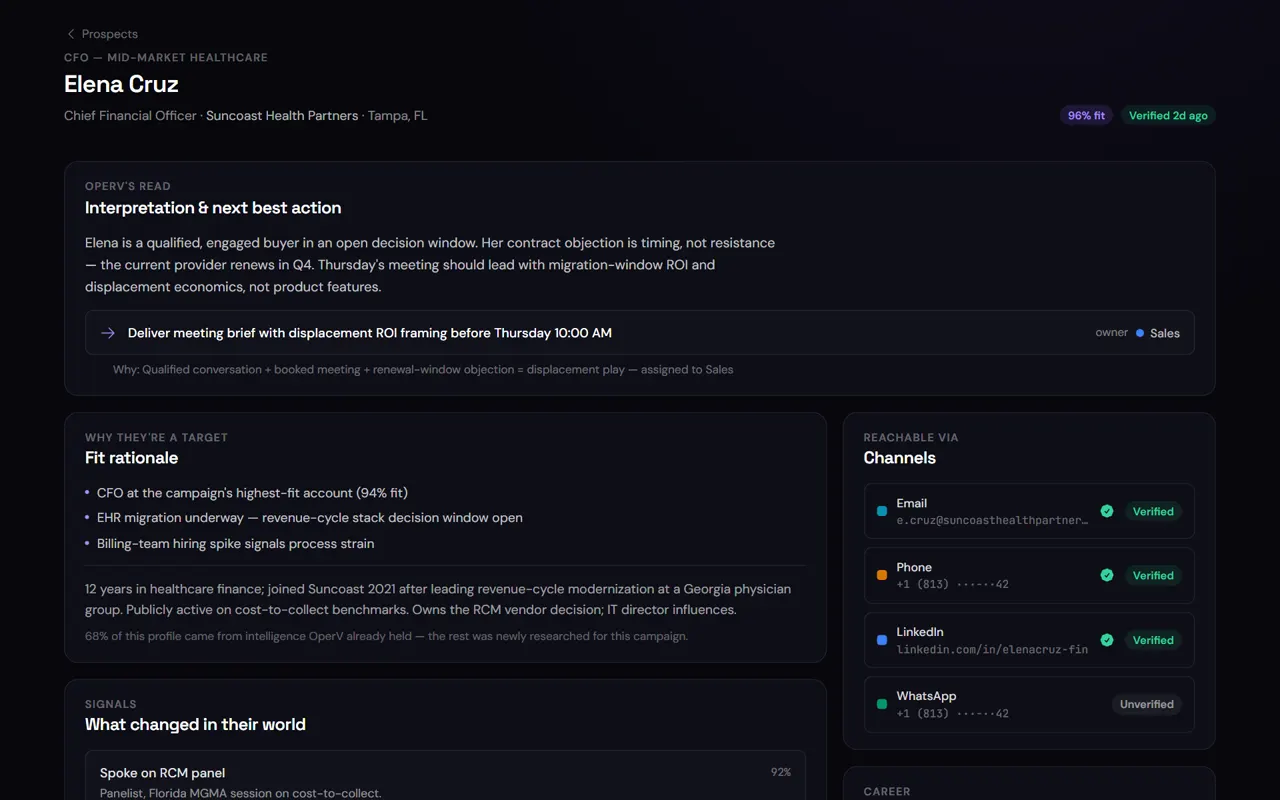
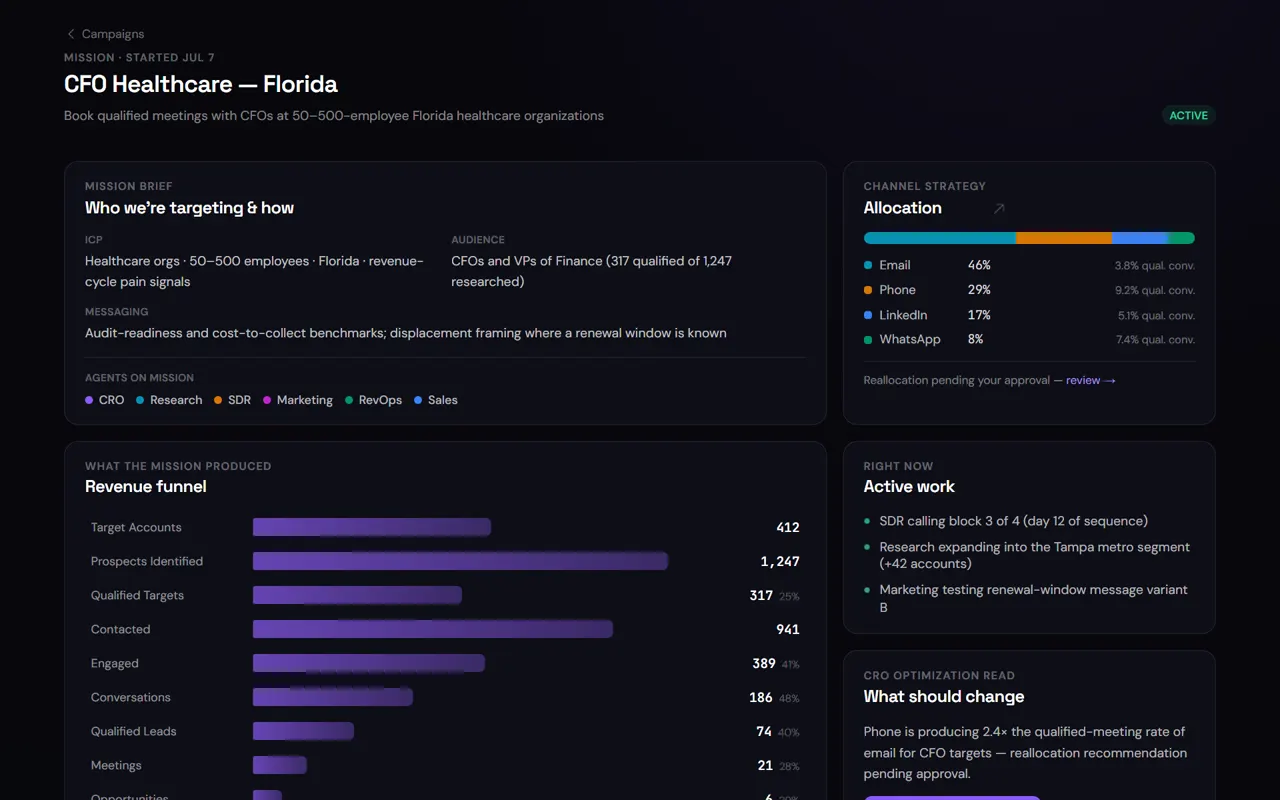
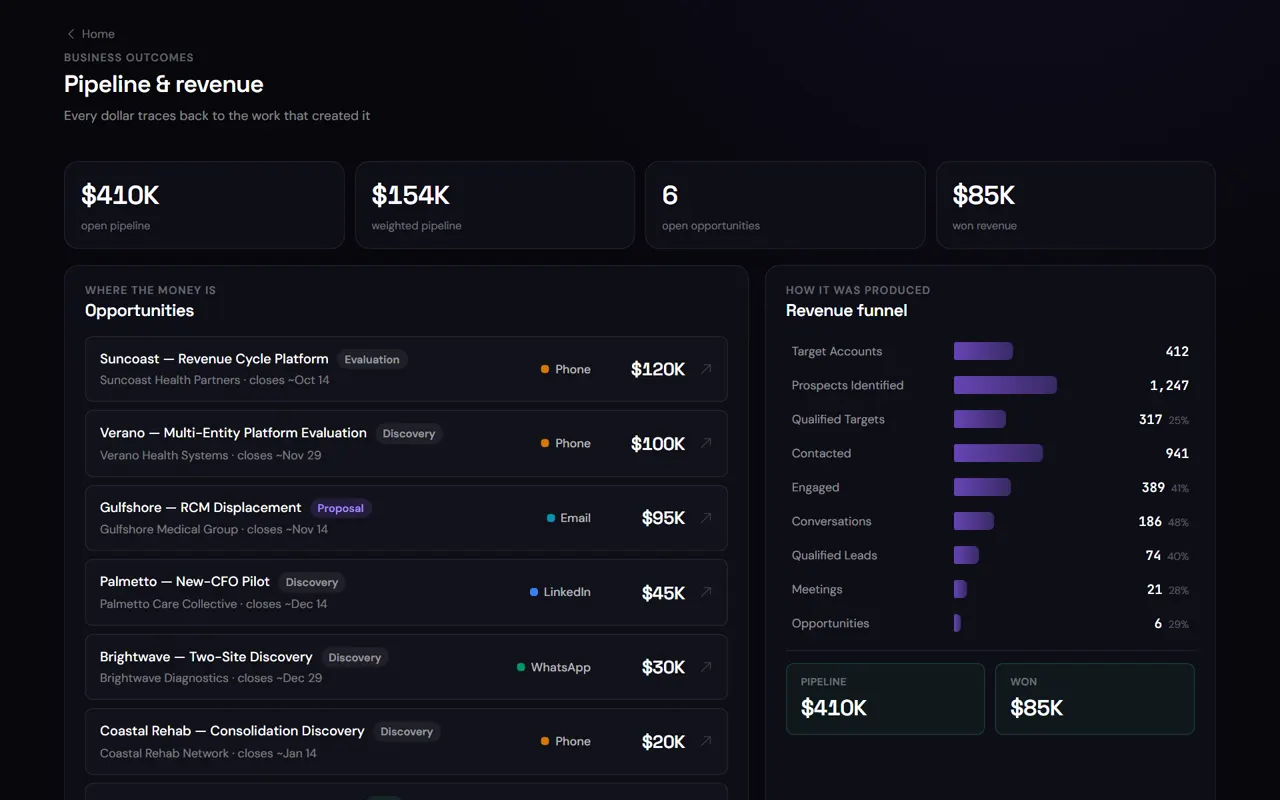
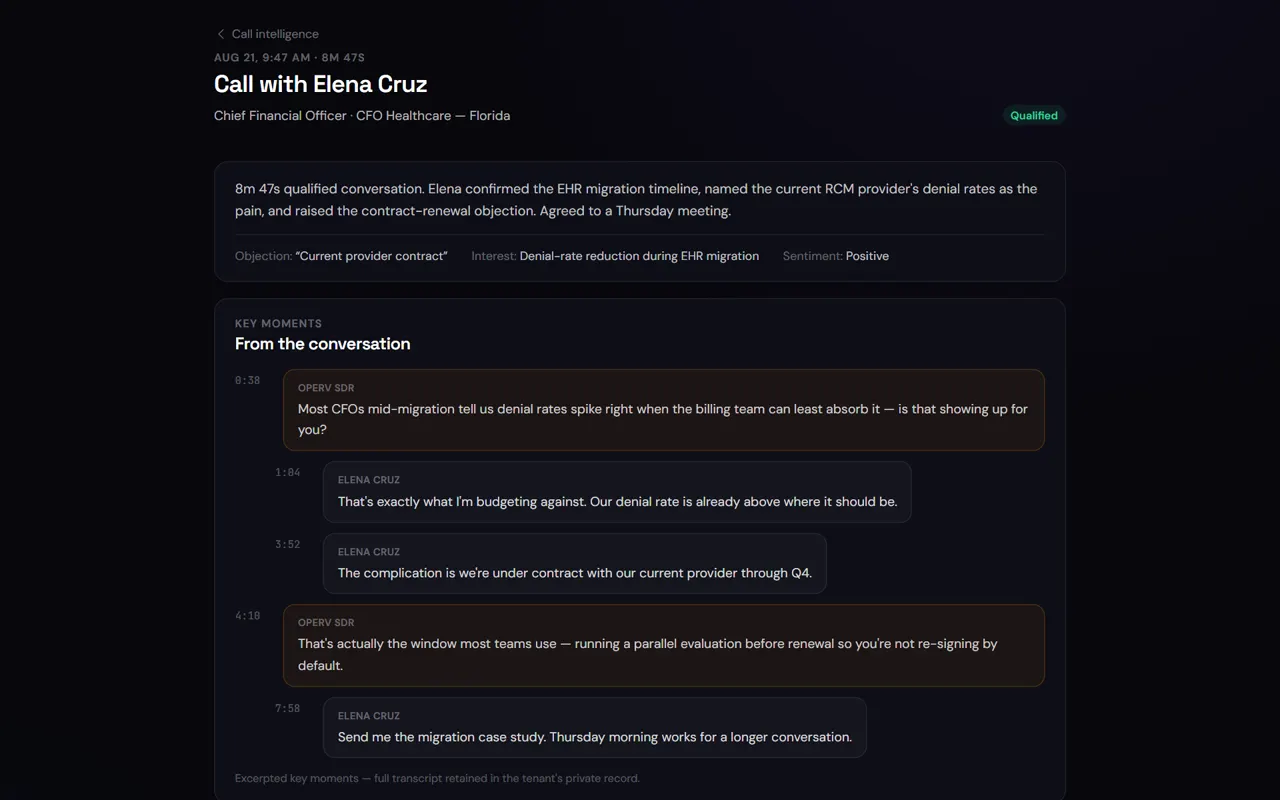
Live product screen · illustrative workspace data
Two agents, one workflow
Marketing brings people in. Sales turns them into meetings.
Aria runs the campaigns and the content and decides who is a real lead. Zane takes it from there and books the conversation.

- Runs email, phone and social campaigns
- Creates and publishes the content
- Qualifies who responds

- Accepts qualified leads with their history
- Books the meeting
- Follows up until there is an answer
- 1Someone watches, visits and asks for a demo
- 2Aria qualifies them and writes down why
- 3Zane picks it up with the full history and books the meeting
The work it takes off your plate
Operating
- Research← Enrich · 39 refreshed records
- 16 qualified targetsOutreach← Follow-up · 14 touches sent
- 42 sequences liveReply← Qualify · 8 qualified
- 9 positive repliesBooking
- 2 meetingsCRM
- Pipeline$410K
Your day
A lighter day, hour by hour.
The same day, with and without an AI employee picking up the routine.
- 07:30—Overnight inbound enriched; today’s target list built from CRM lookalikes and hiring signals.Reps start with a target list, not a blank one.
- 08:15Rep opens 40 tabs to research 8 accounts.12 first-touch drafts with account briefs wait in the queue. Approves 10, edits 2. Eleven minutes.Hours of tab-hopping becomes an 11-minute review.
- 09:00Sequences go out — the ones that got written.Approved sequences sent from the rep’s inbox; CRM logged; follow-ups scheduled.Every planned sequence goes out the day it should.
- 11:40A warm reply lands. Rep is on a call; sees it at 16:00.Reply classified positive; two slots proposed within 4 minutes; booked at 11:52.A warm reply gets a slot before it goes cold.
- 14:00Day-4 follow-ups: 6 of 14 get sent.14 of 14 sent, each referencing the original thread.No planned follow-up quietly drops off the list.
- 17:30CRM update deferred to Friday.CRM already current. Scorecard: 3 meetings, 27 replies handled, 4 follow-ups scheduled.CRM hygiene stops being a Friday chore.
- 07:30
- With AxiaForce
- Overnight inbound enriched; today’s target list built from CRM lookalikes and hiring signals.
- Result
- Reps start with a target list, not a blank one.
- 08:15
- Today
- Rep opens 40 tabs to research 8 accounts.
- With AxiaForce
- 12 first-touch drafts with account briefs wait in the queue. Approves 10, edits 2. Eleven minutes.
- Result
- Hours of tab-hopping becomes an 11-minute review.
- 09:00
- Today
- Sequences go out — the ones that got written.
- With AxiaForce
- Approved sequences sent from the rep’s inbox; CRM logged; follow-ups scheduled.
- Result
- Every planned sequence goes out the day it should.
Show the full day
- 11:40
- Today
- A warm reply lands. Rep is on a call; sees it at 16:00.
- With AxiaForce
- Reply classified positive; two slots proposed within 4 minutes; booked at 11:52.
- Result
- A warm reply gets a slot before it goes cold.
- 14:00
- Today
- Day-4 follow-ups: 6 of 14 get sent.
- With AxiaForce
- 14 of 14 sent, each referencing the original thread.
- Result
- No planned follow-up quietly drops off the list.
- 17:30
- Today
- CRM update deferred to Friday.
- With AxiaForce
- CRM already current. Scorecard: 3 meetings, 27 replies handled, 4 follow-ups scheduled.
- Result
- CRM hygiene stops being a Friday chore.
Better together
It takes the routine. You keep what matters.
- Research, enrichment and list building against your ICP
- First-touch drafts in the rep’s voice, sent from the rep’s inbox
- Follow-ups, reply handling and safe answers; escalation with a suggested response
- Slot proposal, booking, CRM updates and the weekly report
- Approving first touches, pricing and anything authority reserves
- The discovery call, the demo, the negotiation
- Editing tone and criteria — each edit becomes a pattern
- Which segments to pursue and when to change the play
Campaigns
Keep every opportunity moving.
Personalised follow-up that adapts when prospects respond.
Built around your ideal customer, with the follow-up limits you set.
A reply pauses the sequence, so nobody keeps getting messaged after they’ve answered.
Response rate, meetings booked and pipeline created, for every campaign.
Getting started · Pilot
Start small. Grow with confidence.
Your AI employee runs under your watch before it runs on its own.
- Step 1
Subscribe. We email you your AxiaForce quote, with a private, secure link to set up your subscription.
- Step 2
We set up your workspace.
- Step 3
Sign in and meet your AI employee.
- Step 4
Connect your tools.
- Step 5
Choose how much it can do, then give it its first job.
Timeframes are illustrative. Actual setup depends on your systems and scope.
Ready to start? See plans & pricing.
What to expect
Targets to hold us to.
Illustrative figures from the ROI model, not guarantees. Results vary by customer — adjust them on the calculator.
Down from hours — speed to lead is the strongest predictor of reply rate in the model.
Versus the ~45% a busy rep manages.
Default model lift; editable on the calculator.
Fit
A good fit if…
- You want more pipeline without adding reps just to keep up
- You run outbound or inbound with 2+ reps and a CRM you actually use
- Reply speed and follow-up discipline are where pipeline leaks today
- Your security team will want to know how your data is handled
Straight answers
The questions we get first.
Will it sound like a bot?
It sends in the rep’s voice from the rep’s inbox, drafted against tone and examples you configure. The AI drafts, the rep sends — and you open the dial toward autonomous sending on your timeline, never ours.
What stops it from emailing the wrong people?
List changes and first touches are gated by default. Nothing new gets contacted without a person approving the list and the message — until you decide otherwise.
Does it replace our sequencing tool?
It can run alongside it through adapters, or replace the drafting and follow-up part of it. Your CRM stays the system of record either way.
How do we know what it did?
Every action is recorded with the reasoning behind it, and the scorecard and dashboards are built from that record.
See it on your own work.
Bring a real role or team to the demo and see it in action.